Frame-aligned POV
From ordinary footage
Upload. Compare.
Upload any GoPro, DJI, Insta360, or action-cam POV. camillo turns it into a timed run, replayable reference, and part of the segment history.
Watch comparisonsUpload your Sports POV video run to a segment. camillo times your run, places it on a video-verified leaderboard, and makes aligned comparison videos for you to watch.
Frame-aligned POV
From ordinary footage
Upload any GoPro, DJI, Insta360, or action-cam POV. camillo turns it into a timed run, replayable reference, and part of the segment history.
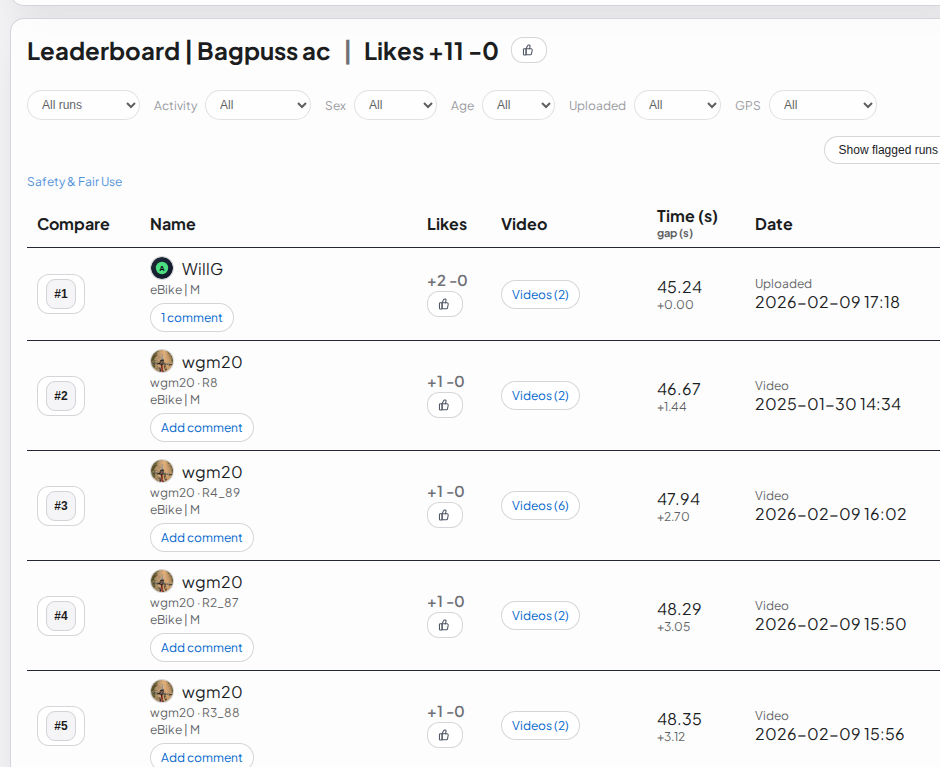
Watch comparisonsVideo-verified leaderboards
Each leaderboard entry has a POV video, community comments, likes, and timing so you can verify and trust the results.
See segment boards
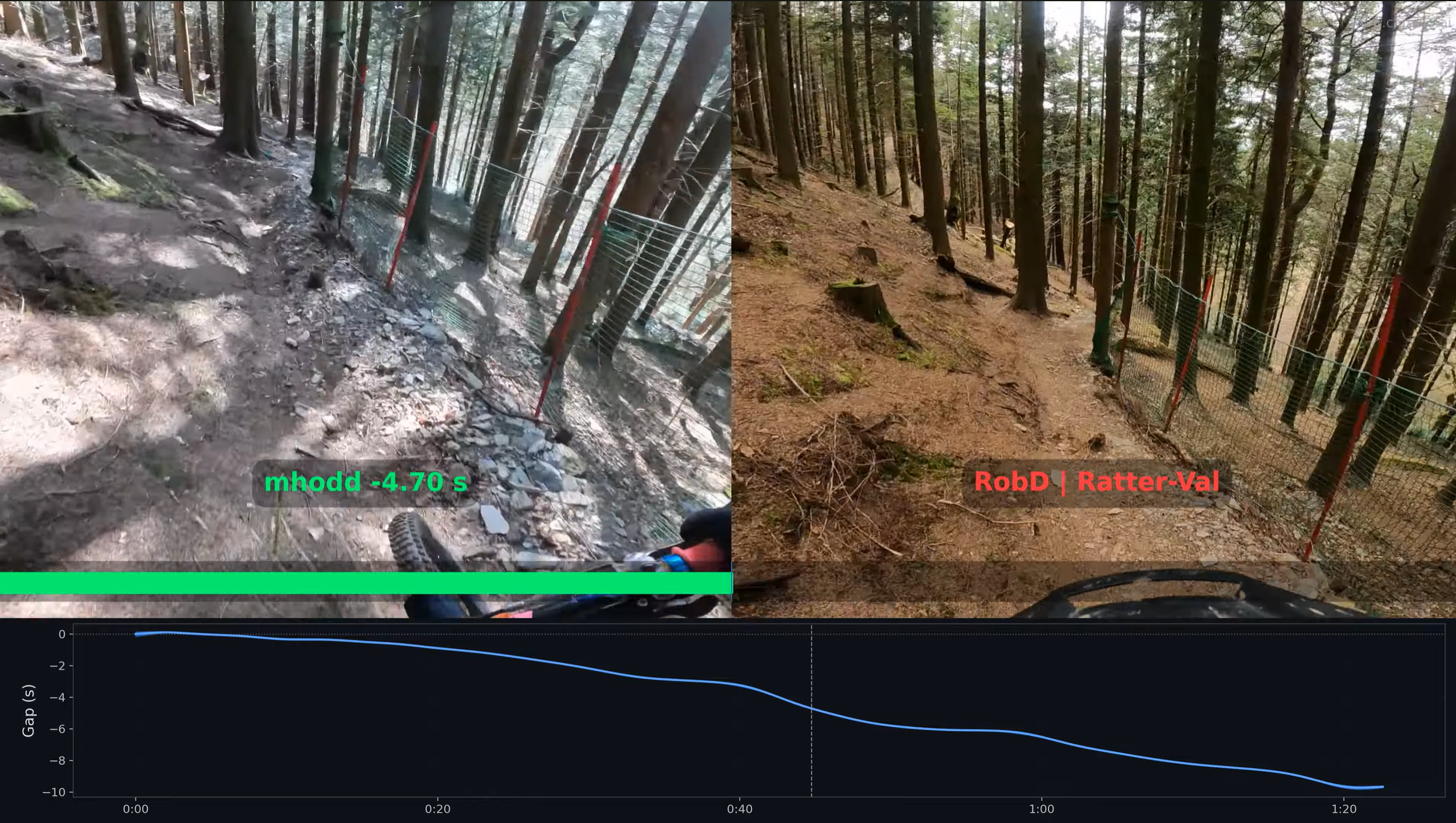
Frame-aligned comparison with gap graph
Synced video playback makes line choice, speed, flair and style easier to see and learn. The gap graph highlights the key parts of the run. Watch the synced video.
Find or create a segment near you. Film your POV on it and upload your full run or a short outtake clip.
Your run is timed from the footage and added to the segment leaderboard by age/sex/activity type
Open faster, or highly liked runs from the leaderboard and see the POV that produced them.
Leave notes on your own runs, other's runs, outtakes, or the segment itself.
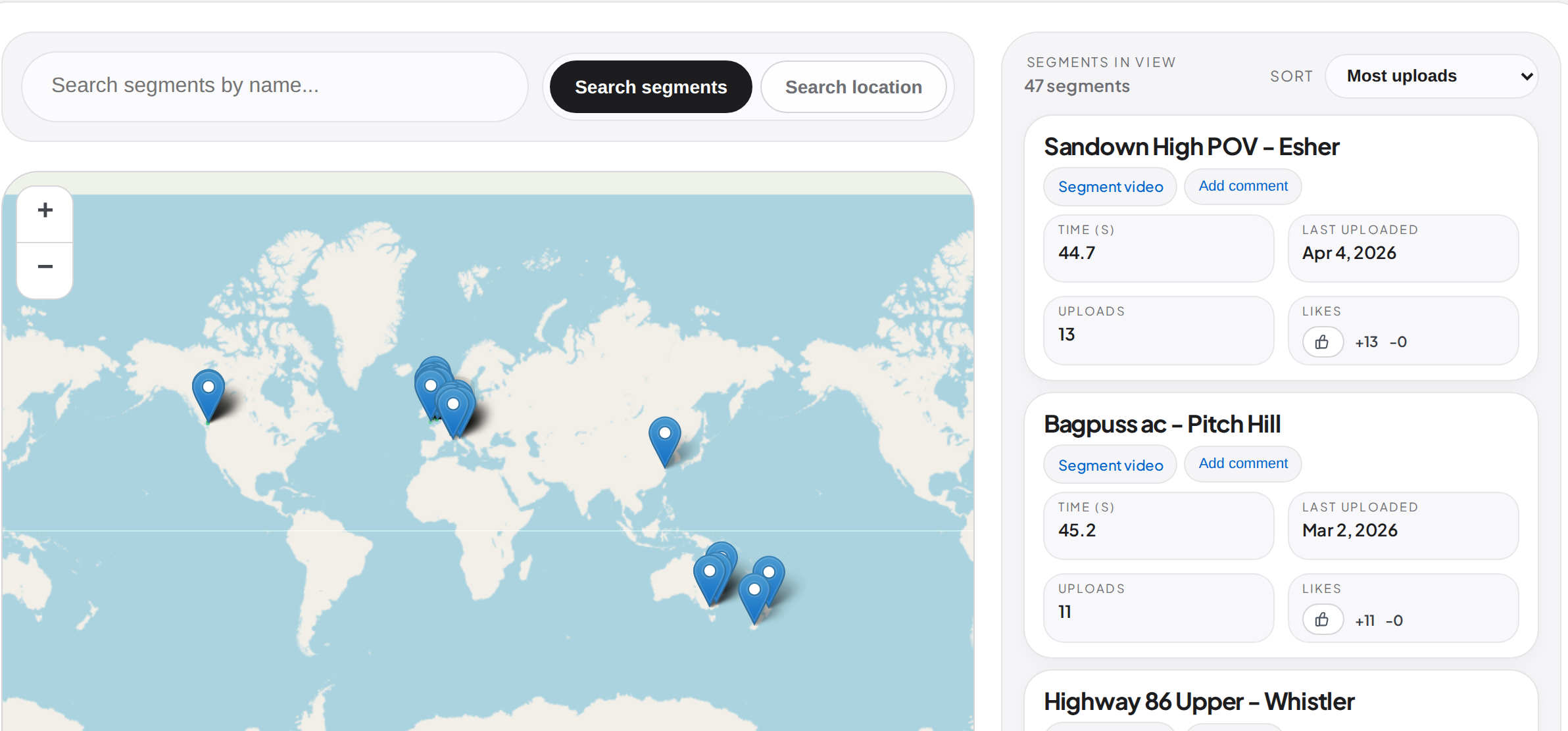
Find places geographically, then use POV videos to understand what each segment looks like.
Past runs and videos stay organised by place instead of disappearing into camera folders.
Segment map
Browse mapped segments, then open the runs, comments, likes, and videos behind each one.
Comparison video
See what frame-aligned comparison feels like in practice.
Free trial
Try camillo with ordinary action-cam POV. No credit card required.
Already have an account? Sign in